Bekk Square Investor Portal
Investor User Guide
Website: https://www.bekksquare.com
Application Name: Bekk Square
Organization: Bekk Inc
1. Introduction
1.1 Purpose of Bekk Square
Bekk Square is a secure web-based investment management portal designed for investors working with Bekk Inc.
The portal allows investors to:
- Receive updates on their investment interests
- View current and past investment offerings
- Request access to new investment opportunities
- Manage their investor profile and entities
- Monitor investments already committed to
This guide provides step-by-step instructions for investors on how to:
- Join the Bekk Square portal
- Set up and manage their profile
- Define investment entities
- View and request access to offerings
- Monitor current investments
2. System Requirements
To access Bekk Square, users must have:
- A modern web browser (Chrome, Edge, Safari, or Firefox)
- Internet connection
- Valid email address
- Invitation approval (if required by Bekk Inc)
3. Creating Your Investor Account
3.1 Accessing the Portal
- Navigate to:
https://www.bekksquare.com - Click Register in the top-right corner.
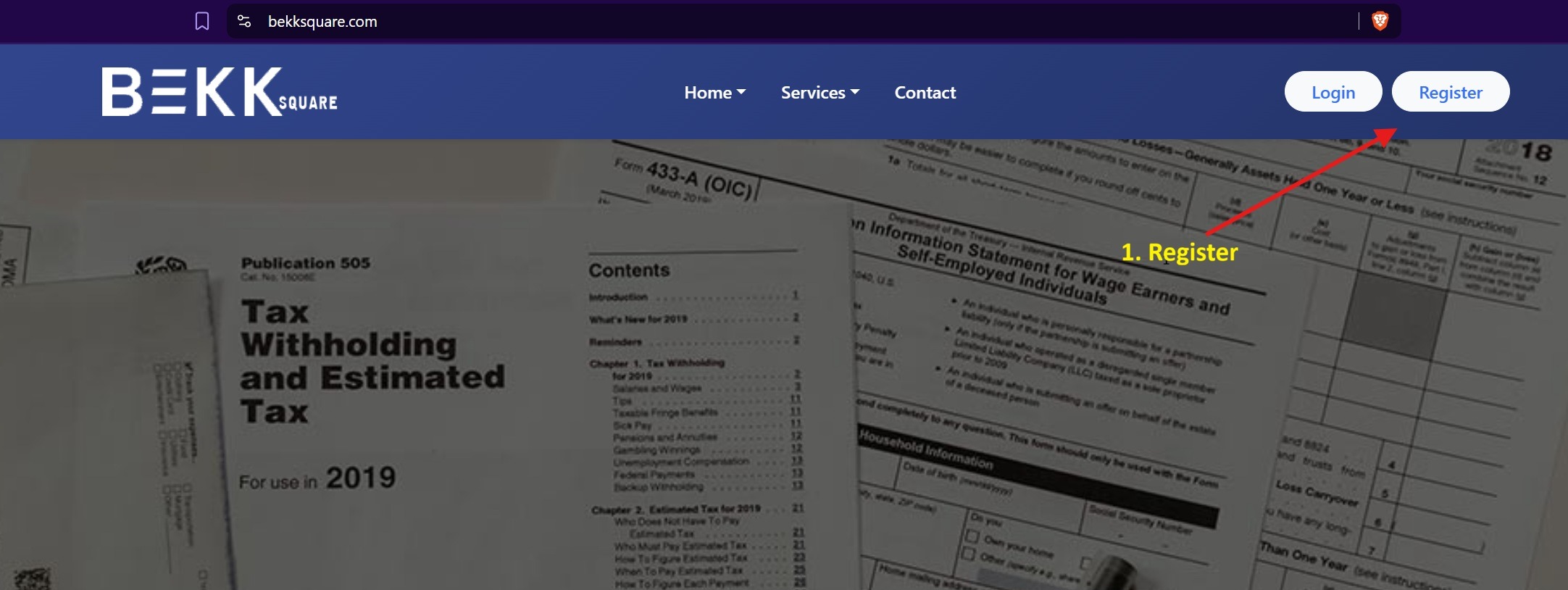
You will see the Create Your Investor Account screen.
3.2 Completing Registration
Fill in the following fields:
- First Name
- Email Address
- Password
- Confirm Password
Password Requirements
Your password must contain:
- At least 8 characters
- One uppercase letter
- One lowercase letter
- One number
- One special character
✔ Check the box to agree to the Terms & Conditions and Privacy Policy
✔ Click Create Account
3.3 Email Verification (If Enabled)
After registration:
- You may receive a verification email.
- Click the verification link to activate your account.
4. Logging Into Bekk Square
- Go to https://www.bekksquare.com
- Click Login
- Enter your:
- Email Address
- Password
- Click Login
If you forget your password:
- Click Forgot Password
- Follow the reset instructions sent to your email
5. Setting Up Your Investor Profile
After logging in for the first time, you should complete your investor profile.
5.1 Accessing Your Profile
- Navigate to Profile or Account Settings
- Complete all required fields such as:
- Contact Information
- Address
- Accreditation status (if required)
- Investor classification
Click Save after completing the information.
6. Defining Investment Entities
Many investors participate through:
- Personal accounts
- LLCs
- Trusts
- Corporations
- Partnerships
6.1 Adding an Investment Entity
- Navigate to Investment Entities
- Click Add Entity
- Enter:
- Entity Name
- Entity Type
- Tax ID (if required)
- Authorized Signatory
- Save the entity
You may add multiple entities if applicable.
7. Viewing Investment Offerings
7.1 Accessing Offerings
- Navigate to the Investment Offerings section
- Browse available offerings
Each offering may include:
- Investment summary
- Offering documents
- Minimum investment amount
- Investment terms
- Target return
- Key dates
8. Requesting Access to an Offering
Some offerings may require approval.
8.1 How to Request Access
- Select the offering
- Click Request Access
- Choose your investment entity (if required)
- Submit your request
The Bekk Inc administration team will review your request.
You will receive notification once access is approved.
9. Viewing Current Investments
To monitor investments you have committed to:
- Navigate to My Investments
- Select the investment
You may be able to view:
- Capital committed
- Capital contributed
- Current valuation
- Performance updates
- Distributions
- Documents
- Reports
10. Notifications & Updates
Bekk Square may provide:
- Email notifications
- Portal alerts
- Offering announcements
- Performance updates
Be sure your contact information remains current.
11. Security & Confidentiality
Bekk Square is a secure portal. Investors should:
- Keep login credentials confidential
- Use strong passwords
- Log out after each session
- Avoid accessing the portal on public computers
12. Support
For technical assistance or investment inquiries, please contact:
Bekk Inc Administration Team
[Insert contact email]
[Insert phone number if applicable]